


Image Search Techniques: 15 Ways to Find Images Faster
Images power the modern internet. From blog posts and marketing campaigns to research and social media, visuals help communicate ideas faster than text alone. However, finding the right image online can sometimes feel overwhelming.
Billions of images are indexed across search engines, social media platforms, and stock image libraries. Without the right techniques, you may spend hours scrolling through irrelevant results.
Fortunately, mastering advanced image search techniques can dramatically improve your ability to discover the exact images you need.
In this comprehensive guide, you’ll learn:
- how image search works
• the best reverse image search tools
• professional search techniques
• AI-powered visual search tools
• expert strategies used by designers and marketers
By the end of this guide, you will know how to search smarter, faster, and more accurately
What Is Image Search?
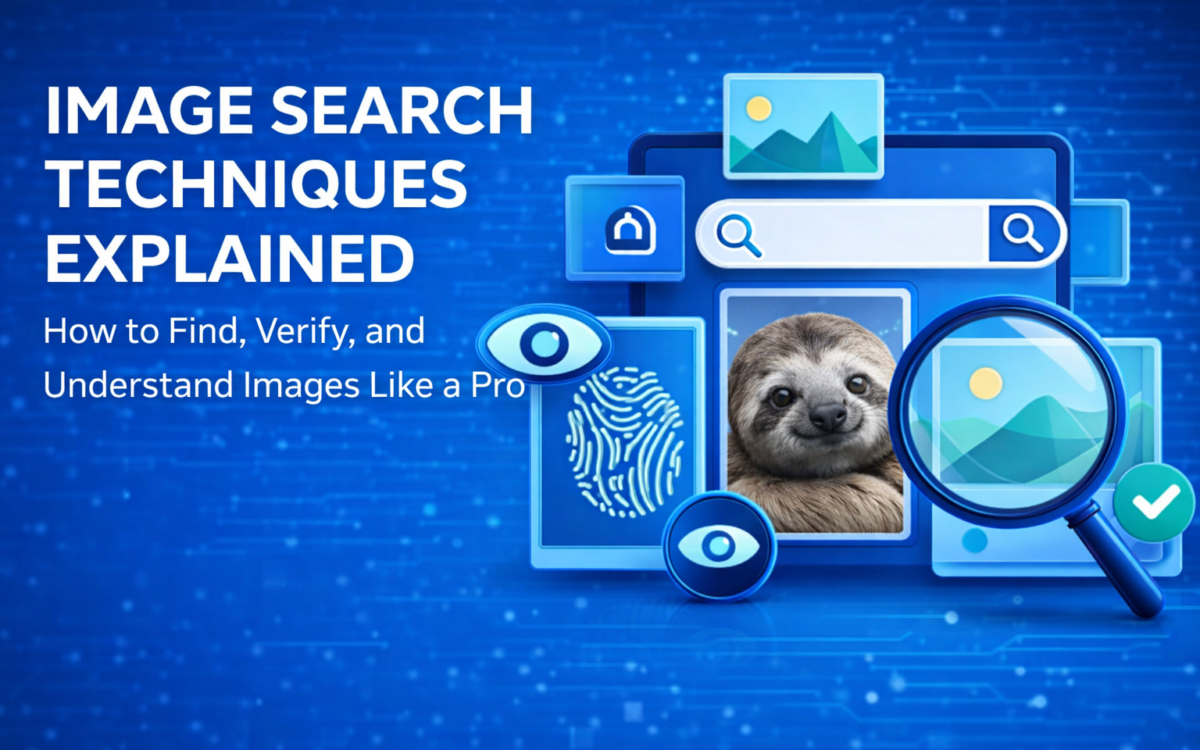
Image search is the process of finding images online using keywords, visual queries, or uploaded images.
Modern search engines use artificial intelligence, computer vision, and metadata analysis to identify and match images with user queries.
Instead of relying solely on text descriptions, search engines analyze features inside images such as:
- colors
• shapes
• objects
• textures
• visual patterns
This allows users to discover images using either keywords or visual input
How Image Search Works
Understanding how search engines process images can help you search more effectively.
When you search for an image, search engines analyze three main factors.
1. Image Metadata
Metadata includes information embedded within an image file, such as:
- file name
• alt text
• captions
• surrounding webpage content
Search engines rely heavily on this information when indexing images
2. Visual Recognition Technology
Modern search engines use computer vision algorithms to recognize objects inside images.
For example, if an image contains a dog, the system can identify the breed, background environment, and related visual features
3. Machine Learning Algorithms
Machine learning models analyze billions of images to understand patterns and relationships.
These models help search engines deliver more relevant visual results
Why Image Search Is Important
Effective image searching helps professionals across multiple industries.
Key Benefits
- Find high-quality visuals faster
• Verify the authenticity of images
• Discover design inspiration
• Identify the source of an image
• Detect copyright misuse
For marketers, bloggers, and designers, efficient image search can significantly improve productivity
15 Advanced Image Search Techniques
Below are professional techniques used by designers, researchers, journalists, and SEO experts
1. Use Specific Keywords
The most common mistake people make is using vague search queries.
Example:
Bad search
dog
Better search
golden retriever puppy playing in snow
The more descriptive your keywords are, the better the results
2. Use Google Image Filters
Google Images provides powerful filters to refine results.
Filters include:
- image size
• color
• usage rights
• image type
These filters help narrow down results quickly
3. Use Reverse Image Search
Reverse image search allows you to upload an image to find similar images or the original source.
What Reverse Image Search Does
- finds visually similar images
• identifies the original source
• detects edited or modified versions
This technique is widely used by journalists and researchers
4. Use Google Lens
Google Lens is one of the most powerful AI-powered visual search tools available today.
It allows users to search using their phone camera or uploaded images.
Google Lens can:
- identify objects
• recognize landmarks
• find similar products
• translate text in images
5. Try Bing Visual Search
Bing Visual Search offers advanced object detection capabilities.
Users can highlight specific parts of an image to search for related visuals.
This feature is particularly useful for product searches
6. Use Yandex Image Search
Yandex is known for its powerful facial recognition and image matching technology.
It can often identify faces and locations more accurately than other search engines
7. Use Pinterest Visual Search
Pinterest is a massive visual search engine used for discovering ideas.
Users can search for images related to:
- fashion
• home design
• recipes
• art and photography
Pinterest also offers visual search tools
8. Search Images on Instagram
Instagram hosts billions of images uploaded daily.
The best way to search for images on Instagram is by using hashtags.
Example hashtags:
#foodphotography
#travelphotography
#streetfood
Hashtags help categorize visual content
9. Use AI Image Recognition Tools
Artificial intelligence has significantly improved visual search technology.
AI tools analyze images using:
- object detection
• pattern recognition
• deep learning algorithms
These tools can identify complex scenes and objects inside images
10. Use Advanced Search Operators
Advanced search operators help refine search results.
Example:
Exact phrase search
“sunset over mountains”
Exclude terms
apple -fruit
This helps filter irrelevant results
11. Combine Keywords for Precision
Combining multiple keywords helps narrow results.
Example:
minimalist office desk workspace setup
This technique works especially well for design and photography searches
12. Search by Image Size
Large images are ideal for:
- printing
• presentations
• high-resolution design
Search engines allow filtering by image resolution
13. Use Copyright Filters
If you need images for commercial use, always filter results by usage rights.
This ensures the images can be used legally.
14. Use Free Image Libraries
Several websites provide free images with open licenses.
Popular platforms include:
- Unsplash
• Pexels
• Pixabay
These sites offer high-quality images for commercial and personal use
15. Verify Image Authenticity
Reverse image search is useful for verifying whether an image has been manipulated or taken out of context.
Journalists often use this technique to detect misinformation.
Best Reverse Image Search Tools
| Tool | Best Feature | Ideal Use |
| Google Images | Largest database | general search |
| Google Lens | AI recognition | mobile search |
| Bing Visual Search | object detection | product search |
| Yandex Images | facial recognition | image identification |
Common Image Search Mistakes
Avoid these common mistakes.
Using vague keywords
Generic searches produce poor results
Ignoring licensing rules
Not all images online are free to use
Not verifying sources
Some images online may be misleading or manipulated.
Reverse image search helps verify authenticity
The Future of Image Search
Image search technology continues evolving rapidly.
New developments include:
- multimodal search (text + image)
• AI visual recognition
• conversational search systems
Search engines are increasingly capable of understanding entire scenes within images.
In the future, users may simply upload a photo and receive detailed contextual results instantly
Conclusion
Image search is far more powerful than many people realize. By understanding how visual search works and applying advanced techniques such as reverse image search, keyword optimization, and AI-powered tools, users can dramatically improve their ability to find relevant images online.
Whether you’re a marketer, researcher, designer, or casual internet user, mastering these techniques will help you discover images faster, verify authenticity, and unlock creative inspiration.
As artificial intelligence continues to reshape visual search technology, image discovery will become even more intuitive and powerful in the years ahead
FAQ
What is reverse image search?
Reverse image search allows users to upload an image instead of typing a keyword to find similar images or identify the source of a photo
Which search engine is best for image search?
Google Images is currently the most widely used image search platform due to its massive database and AI technology
Can I search images using my phone camera?
Yes. Tools like Google Lens allow users to take a photo and search for related images instantly
How can I find copyright-free images?
Websites like Unsplash, Pexels, and Pixabay provide high-quality images that can be used for free under open licenses